
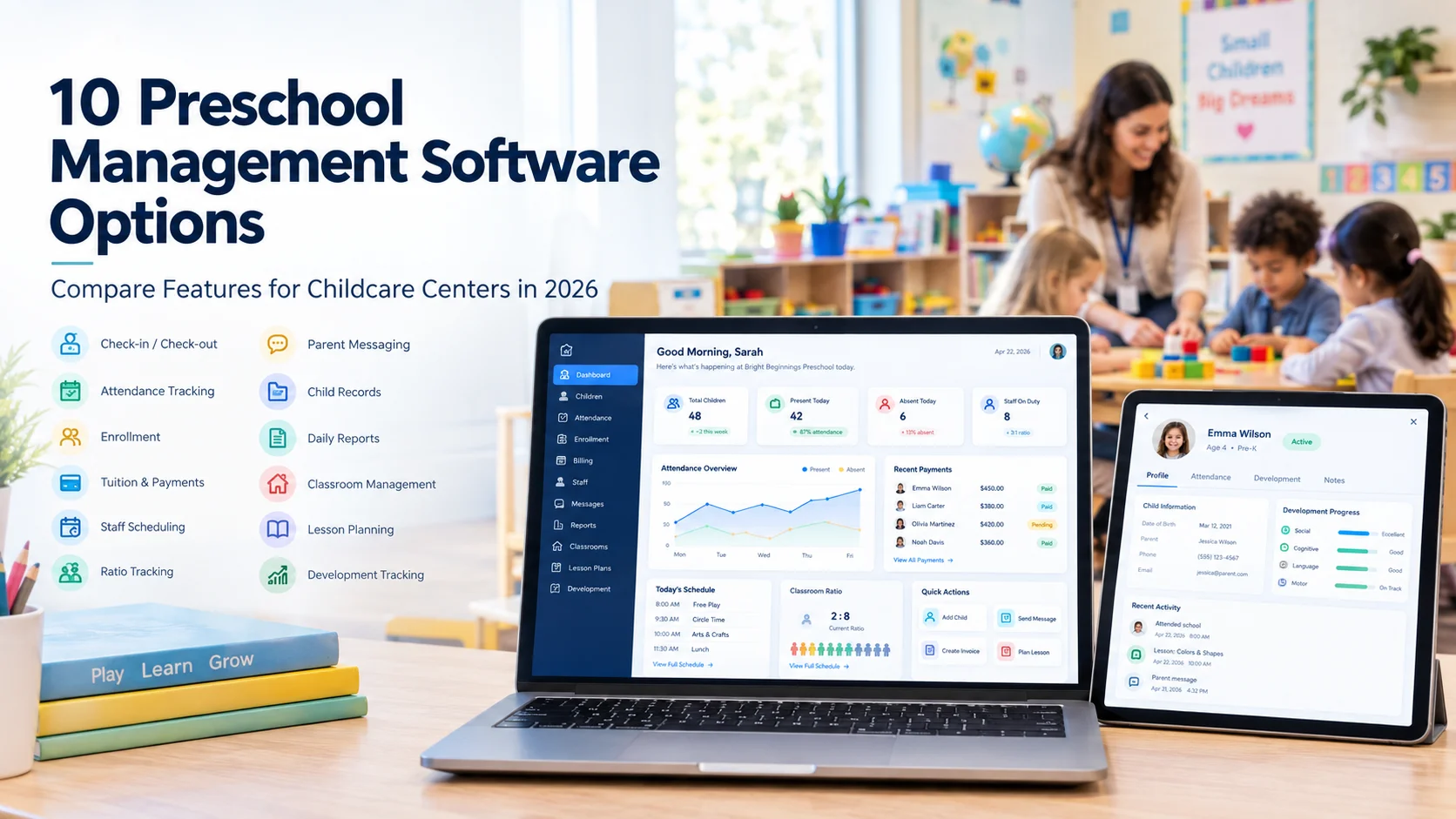
Running a preschool means more than caring for children. Directors also have to manage enrollment, attendance, tuition, staff schedules, parent messages, and records. Doing all of this by hand, or with a mix of spreadsheets and paper folders, takes up hours that could go toward the classroom instead.
This is where preschool management software comes in. It brings daily tasks like billing, check-ins, staff scheduling, and parent updates into one system. The right choice depends on your center’s size, budget, and biggest pain points. This guide walks through 10 well-known preschool management software options, compares their features side by side, and explains what to check before you buy.
Table of Contents
- What Is Preschool Management Software?
- 10 Preschool Management Software Options
- Comparison Table
- Which Features Should You Look For?
- How to Choose Preschool Management Software
- How Much Does It Cost?
- Is There Free Preschool Management Software?
- People Also Ask
- How We Compared These Options
- Pinterest Content Ideas
- Final Thoughts
What Is Preschool Management Software?
Preschool management software is a digital tool that helps childcare centers run their daily business. It can handle attendance, billing, enrollment, staff schedules, and parent communication in one place. Instead of juggling paper sign-in sheets, spreadsheets, and text messages, staff can log everything in one app.
Most childcare management platforms work on a phone, tablet, and computer. Teachers use them to check children in and out, record naps and meals, and send updates to families. Directors use them to send invoices, manage staff, and pull reports for licensing.
10 Preschool Management Software Options
1. Brightwheel
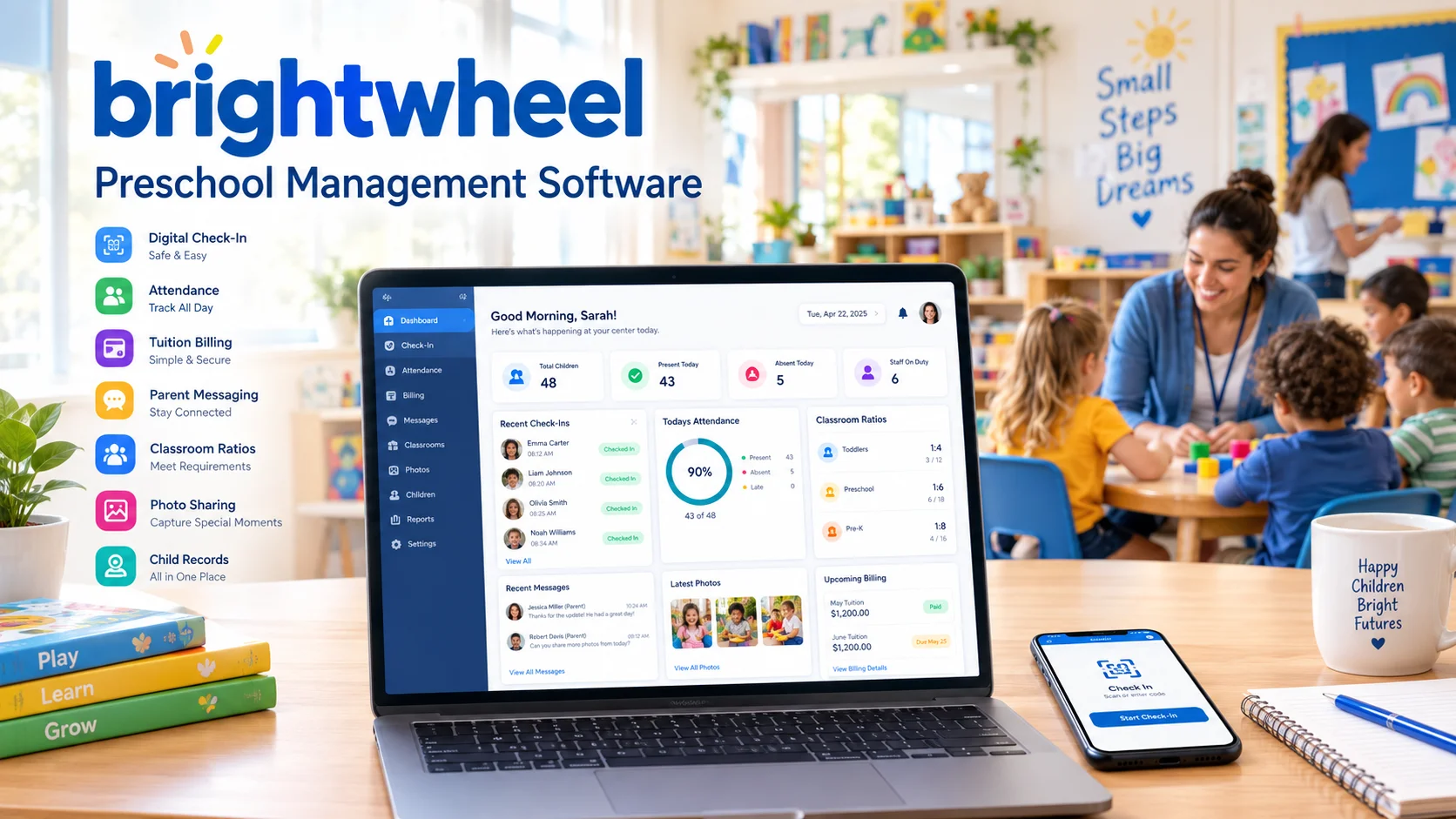
Quick overview: brightwheel is a childcare management platform built for preschools, daycares, and afterschool programs. It combines billing, attendance, parent messaging, lesson planning, and reporting in one app used by both staff and families.
Key features:
- Digital check-in and check-out
- Automated billing and online tuition payments
- Parent messaging and daily activity reports
- Photo and video sharing
- Lesson planning and curriculum tools
- Staff scheduling and time tracking
- Reporting and administrative dashboards
Pros:
- Simple, mobile-first interface that most staff pick up quickly
- Strong two-way parent communication tools
- Combines billing and classroom tools in one app, so centers don’t need separate systems
- Large support library and an active user community
Things to consider:
- Some centers should test how the app performs during high-traffic times, since a few users have mentioned occasional slowdowns
- Centers should ask directly about current pricing, since brightwheel does not publish a public price list
- Directors should confirm which payroll or accounting features are included versus sold as add-ons
Best suited for: Single-site preschools and daycares that want an easy-to-use, all-in-one system for both classroom communication and billing.
Visit the official brightwheel childcare management platform to see its current features.
2. Procare Solutions
Quick overview: Procare Solutions is one of the longest-running names in childcare management software. It is built for daycares, preschools, Head Start programs, and franchise networks that need detailed administrative and financial tools.
Key features:
- Attendance and check-in/check-out tracking
- Billing, invoicing, and online payments
- Staff scheduling and employee management
- Enrollment and waitlist management
- Curriculum and assessment tools
- Reporting for licensing and compliance
- Integrations with QuickBooks, Gusto, and Checkr

Pros:
- Deep feature set that covers billing, staffing, and compliance in detail
- Long track record and a large existing user base
- Strong fit for multi-location and franchise operations
- Multiple integrations with accounting and payroll tools
Things to consider:
- Centers should ask about current deployment options, since Procare has historically offered both cloud and on-premise versions
- New users may need extra training time given the depth of features
- Directors should request a demo focused on their center’s exact workflow, since some reviewers mention a learning curve
Best suited for: Multi-location childcare organizations, franchises, and centers that want detailed financial and compliance reporting.
Learn more about the Procare Solutions childcare management platform.
3. Lillio
Quick overview: Lillio, previously known as HiMama, focuses heavily on family engagement and learning documentation. It helps centers share daily reports, photos, and developmental milestones with parents while also supporting attendance and billing.
Key features:
- Daily reports covering meals, naps, and activities
- Photo and video observations tied to learning domains
- Child developmental assessments and portfolios
- Attendance and check-in tracking
- Billing and online payments
- Research-based curriculum and lesson plans

Pros:
- Strong emphasis on documenting child development, not just administrative tasks
- Easy for parents to follow their child’s day through photos and reports
- Curriculum tools aligned to early learning standards
- Long history serving the early childhood education market
Things to consider:
- Centers should confirm current pricing directly, since Lillio uses custom, per-child pricing
- Some users mention an adjustment period for staff during onboarding
- Smaller centers should compare per-child costs against their enrollment size before committing
Best suited for: Centers that want to highlight learning and development documentation as a key part of their parent communication.
Explore the official Lillio childcare and family engagement platform.
4. Playground
Quick overview: Playground is a newer, cloud-based childcare management platform covering attendance, billing, registration, communication, payroll, and paperwork. It has grown quickly among independent centers and in-home providers.
Key features:
- Digital attendance and contactless check-in
- Billing, invoicing, and payment processing
- Online registration and digital paperwork
- Parent communication and daily updates
- Payroll and staff management
- Compliance tools, including immunization tracking

Pros:
- Well-reviewed customer support, with reported fast chat response times
- Combines payroll with childcare-specific tools in one system
- Growing feature set aimed at reducing administrative overhead
- Free or subsidized access has been available through some state-sponsored programs
Things to consider:
- As a newer platform, some users mention occasional bugs with billing and payment processing
- Centers should confirm which state-specific compliance features apply to their license
- Ask about current pricing tiers, since these can vary by enrollment size and location
Best suited for: Growing daycares and in-home childcare providers that want billing, payroll, and communication combined in one modern platform.
Visit the official Playground child care management software to see current pricing and features.
5. Famly
Quick overview: Famly is an early childhood platform based in Copenhagen, serving childcare centers across the UK, US, Ireland, and parts of Europe. It focuses on connecting educators, administrators, and parents through one system.
Key features:
- Attendance tracking and digital check-in
- Billing and automated invoicing
- Learning journals and developmental tracking
- Parent messaging and daily updates
- Staff scheduling and compliance tools
- Reporting for enrollment and finances

Pros:
- Well-rated for ease of use and customer support
- Serves centers of many sizes, from single sites to larger networks
- Strong focus on connecting learning documentation with family communication
- International experience supporting different regulatory environments
Things to consider:
- Centers should confirm pricing directly, since published starting prices can vary by source and region
- US-based centers should check how well local licensing and reporting requirements are supported
- Ask for a demo focused on billing workflows if that is a top priority
Best suited for: Centers that want a strong balance between learning documentation and day-to-day administrative tools.
Learn more about the Famly early childhood management platform.
6. illumine
Quick overview: illumine is an AI-native childcare management platform aimed at multi-center operators, franchise networks, and corporate childcare brands. It combines enrollment, billing, attendance, and communication with built-in AI tools.
Key features:
- AI-assisted daily report writing and lesson planning
- Automated billing with support for subsidy and private-pay splits
- Enrollment and inquiry management
- Attendance and occupancy tracking
- Parent communication tools, including an AI calling assistant for front-desk inquiries
- Support for curriculum frameworks such as EYFS and Montessori

Pros:
- AI tools aimed at reducing manual work for lesson planning and reporting
- Flat per-center pricing model, rather than a per-child fee, according to the company
- Positioned for multi-center and franchise management
- 24/7 human support alongside AI features
Things to consider:
- As a newer entrant, centers should ask for references from similar-sized US operators
- Directors should confirm exactly which AI features are included at each pricing tier
- Since illumine emphasizes multi-center use, small single-site preschools should compare cost against simpler platforms
Best suited for: Multi-location childcare brands and franchise networks that want AI-assisted administrative tools alongside standard childcare features.
Visit the official illumine childcare management software.
7. Kangarootime
Quick overview: Kangarootime is an all-in-one childcare management platform covering billing, attendance, staff management, and parent communication, aimed at daycare and preschool directors.
Key features:
- Automated billing and tuition collection
- Digital check-in/check-out and attendance logs
- Parent messaging, photos, and daily updates
- Staff scheduling, clock-in/clock-out, and internal messaging
- Accounting software integrations
- Support for after-school and home daycare programs

Pros:
- Positioned as a single, unified system rather than separate modules
- Supports both center-based and home daycare business models
- Long-standing presence in the childcare software market since 2015
- Reports of responsive customer support from users
Things to consider:
- Ask for current pricing directly, since Kangarootime does not publish a public price list
- Centers should test the reporting tools during a demo to confirm they match state licensing needs
- Confirm which integrations are active for your accounting software before switching
Best suited for: Daycare centers and home-based providers that want one system to automate billing, scheduling, and parent updates.
Learn more about Kangarootime’s childcare management software.
8. Kinderpedia
Quick overview: Kinderpedia is a childcare and school management platform that combines administrative tasks like billing and attendance with school-to-family communication tools such as messaging and progress reporting.
Key features:
- Billing and payment plan setup
- Attendance and scheduling tools
- Messaging, notifications, and alerts for families
- Progress reporting and assignment distribution
- Financial reporting for administrators
- Support for both childcare centers and schools
Pros:
- Recognized in G2 review reports within the child care software category
- Reported high user satisfaction and recommendation rates from reviewers
- Flexible enough to serve both early childhood centers and broader school settings
- Strong customer support ratings
Things to consider:
- US-based centers should confirm how well the platform supports state-specific licensing and compliance needs, since Kinderpedia serves an international market
- Ask for a demo focused specifically on early childhood use, since Kinderpedia also markets to K-12 schools
- Confirm current pricing directly, as it is not publicly listed
Best suited for: Centers that want a platform serving both preschool and broader school-age programs under one system.
Visit the official Kinderpedia childcare and school management platform.
9. MyKidReports
Quick overview: MyKidReports is a cloud-based childcare management platform aimed at preschools, daycares, and home-based providers, with a free plan for very small centers and paid tiers as centers grow.
Key features:
- Digital daily activity reports, including meals and naps
- Attendance and contactless check-in/check-out
- Real-time parent messaging
- Online admissions and automated billing (on paid tiers)
- Custom reports and analytics (on paid tiers)
- Room and staff-to-child ratio tracking
Pros:
- Offers a genuinely free “Starter” plan for up to 5 children and 1 staff account, according to the company’s pricing page
- Published, transparent pricing: MKR Pro starts at $0.99 per child per month
- No setup fees or long-term contracts advertised
- Positioned well for very small or new centers testing digital tools for the first time
Things to consider:
- The free plan is limited in features (for example, billing is only available on the Pro tier), so growing centers should plan for the paid tier
- As a smaller, newer platform, centers should ask for references from similarly sized US preschools
- Confirm which compliance and reporting features matter most to your state before committing
Best suited for: Small preschools, home daycare providers, and centers with a tight budget that want to start with a free plan before paying for more features.
Visit the official MyKidReports childcare management software to see current plans.
10. KidKare
Quick overview: KidKare is different from the other platforms on this list. Instead of being a full preschool management system, it focuses specifically on managing the Child and Adult Care Food Program (CACFP) for childcare centers that receive USDA food program reimbursement.
Key features:
- CACFP-compliant menu planning and food lists
- Point-of-service meal count and attendance tracking
- Automated claim calculation with built-in error checks
- Digital enrollment forms (eForms)
- Milk audit and inventory planning tools
- Income eligibility calculations for reimbursement rates
Pros:
- Purpose-built for CACFP compliance, with over 200 automated edit checks according to the company
- Long history serving CACFP sponsors and single-location centers
- Can reduce paperwork tied specifically to food program claims
- Works alongside, rather than replacing, a full preschool management system
Things to consider:
- KidKare does not replace general classroom or billing software — centers still need a separate system (such as one of the other 9 above) for attendance, enrollment, and parent communication outside of the food program
- Confirm current published pricing directly, as monthly rates can change
- Best evaluated by centers that already participate, or plan to participate, in CACFP
Best suited for: Childcare centers that participate in the USDA Child and Adult Care Food Program and need dedicated software just for food program compliance and claims.
Learn more about KidKare’s Food Program software.
Preschool Management Software Comparison
| Software | Billing | Enrollment | Attendance | Parent Communication | Staff Management | Learning Tools | Best For |
|---|---|---|---|---|---|---|---|
| brightwheel | Yes | Yes | Yes | Yes | Yes | Yes | Single-site all-in-one use |
| Procare Solutions | Yes | Yes | Yes | Yes | Yes | Yes | Multi-location and franchises |
| Lillio | Yes | Plan dependent | Yes | Yes | Plan dependent | Yes | Family engagement focus |
| Playground | Yes | Yes | Yes | Yes | Yes | Check plan | Billing and payroll in one |
| Famly | Yes | Yes | Yes | Yes | Yes | Yes | Balanced admin + learning |
| illumine | Yes | Yes | Yes | Yes | Plan dependent | Yes | Multi-center, AI features |
| Kangarootime | Yes | Yes | Yes | Yes | Yes | Check plan | Center + home daycare |
| Kinderpedia | Yes | Yes | Yes | Yes | Plan dependent | Yes | Preschool + school settings |
| MyKidReports | Plan dependent | Yes | Yes | Yes | Check plan | Check plan | Small centers, tight budgets |
| KidKare | Check plan | Check plan | Yes (meal-linked) | Check plan | No | No | CACFP food program only |
Your Faq’s
What software is best for preschools?
There is no single “best” preschool software — the right choice depends on your center’s size, budget, and biggest need. A small center focused on tight budgets might prioritize MyKidReports’ free tier, while a multi-location franchise might lean toward Procare Solutions or illumine for deeper administrative tools. Before choosing, compare billing, enrollment, attendance, parent communication, and staff management features against your center’s actual daily workflow and available budget.
What software do daycares use?
Daycares commonly use childcare management platforms to handle daily check-in and check-out, tuition billing, enrollment and waitlists, parent messaging, staff schedules, child records, and reporting for licensing. Platforms like brightwheel, Procare Solutions, Kangarootime, and Playground are frequently used for these combined administrative and classroom communication needs, often chosen based on center size and which specific features matter most to the director.
What is the best software for school management?
School management software is broader than preschool-specific software. It typically covers student information systems, attendance, fees, parent communication, teacher management, exams, grades, and timetables — features built for K-12 education rather than early childhood care. A preschool or daycare center usually needs a specialized childcare platform, like the ones in this guide, rather than a traditional K-12 school management system, since early childhood centers have different licensing, ratio, and daily-care documentation needs.
What is the best app for child care management?
A good childcare management app should make check-in, attendance, parent messaging, daily reports, billing, and staff scheduling easier for both staff and families. Apps like brightwheel, Famly, and Lillio are commonly used for this, each with a slightly different emphasis — some lean toward learning documentation, others toward billing and operations. The best fit depends on which of these tasks costs your team the most time today.
What is the best free app for preschoolers?
This question can mean two different things. A “free app for preschoolers” often refers to an educational app used directly by young children for learning games or activities. A “preschool management app,” by contrast, is software used by teachers, parents, and administrators to run the business side of a center. If you mean management software, look at the difference between a free plan (like MyKidReports’ Starter tier) and a free trial (temporary full access), since these are not the same thing. If you mean a children’s educational app, that is a separate category from the software covered in this guide.
How We Compared These Software Options
This comparison considered publicly available information on features, childcare-specific workflows, billing, enrollment, attendance, parent communication, staff management, learning tools, reporting, and pricing transparency. Where a company publishes clear pricing, we noted it. Where pricing is only available on request, we noted that as well, so readers know what to expect before contacting a provider.
Final Thoughts
Preschool management software can save directors hours each week by bringing billing, attendance, enrollment, staff scheduling, and parent communication into one system. But no single platform is the right fit for every center — a small home daycare has different needs than a multi-location franchise, and a center focused on learning documentation may prioritize different features than one focused on billing automation.
Compare the features that matter most to your center, check the current pricing directly with each provider, and request a demo before making your decision.
Recent Articles


